دسته بندی : <-ArchiveEntryCategory->,
I9300 UNKNOWN IMEI SUCCESSFULLY REPAIRED WITH ASANSAM DONGLE...
Quote:
E:failed to mount /efs (Invalid Argument)
THANKS TO ASANSAM TEAM

LOG
----
2013/03/23 - 17:53:34 : -----------------------------------------------------------------------------------------------
2013/03/23 - 17:53:34 : Turn-on the Phone Goto 'Settings > Application > Development'
2013/03/23 - 17:53:34 : And Check 'Usb Debugging' Then Connect Usb Cable To Phone And Install Needed Driver.
2013/03/23 - 17:53:34 :
2013/03/23 - 17:53:34 : Note: Phone Must be Rooted and be in AirPlane Mode
2013/03/23 - 17:53:34 : For Restore PB Operation You Must Install Busybox in additional of all this
2013/03/23 - 17:53:34 : -----------------------------------------------------------------------------------------------
2013/03/23 - 17:53:34 : Prepairing ...
2013/03/23 - 17:53:39 : OK
2013/03/23 - 17:53:39 : Device Found!
2013/03/23 - 17:53:39 : Reading Phone Informations ...
2013/03/23 - 17:53:39 :
2013/03/23 - 17:53:40 : Model : GT-I9300
2013/03/23 - 17:53:40 : Android Version : 4.0.4
2013/03/23 - 17:53:41 : PDA Version : I9300XXALE8
2013/03/23 - 17:53:41 : CS Version : I9300TPLLE5
2013/03/23 - 17:53:41 : Phone Version : NULL
2013/03/23 - 17:53:41 : IMEI : NULL
2013/03/23 - 17:53:41 : Baseband Version : NULL
2013/03/23 - 17:53:41 : GSM Baseband Version : NULL
2013/03/23 - 17:53:41 : Checking Root ...
2013/03/23 - 17:53:42 : OK
2013/03/23 - 17:53:42 : Phone Root OK. Continue..
2013/03/23 - 17:53:42 : Repairing EFS ...
2013/03/23 - 17:53:56 : OK
2013/03/23 - 17:53:57 : EFS Repair Done
2013/03/23 - 17:53:57 : Phone Reset Done!
2013/03/23 - 17:53:57 : Operation Completed
2013/03/23 - 17:53:57 : Operation Time: 00:00:22
برچسبها :
دسته بندی : <-ArchiveEntryCategory->,
Asansam version 2.1.7 Released Add Galaxy S4 And Restore PB
Add
GT-I9500 Galaxy S4
Read & Write Flash First in world
Read PIT First in world
Read & Write UB First in world
Read & Write EFS First in world
Add
Restore PB(New Models)
First in World and And completely separate from Asansam team
GT-I8160
GT-I8160C
GT-I8160H
GT-I8160L
GT-I8160P
GT-I9070
GT-I9070C
GT-I9070H
GT-I9070P
GT-I8530
GT-I9001
GT-P3100
GT-P3110
GT-P3113
GT-P7500
GT-P7500C
GT-P7501
GT-P7503
GT-P7510
GT-P7511
GT-P5100
GT-P5100E
GT-P5100U
GT-P5103
GT-P5110
GT-P5113
GT-S5830I
Add
P3100(Flash/Read&Write EFS/Read&Write UB)
P3110(Flash/Read&Write EFS/Read&Write UB)
P3113(Flash/Read&Write EFS/Read&Write UB)
P7500C(Flash/Read&Write EFS/Read&Write UB)
I8160C(Flash/Read&Write EFS/Read&Write UB)
I8160H(Flash/Read&Write EFS/Read&Write UB)
P5100(Flash/Read&Write EFS/Read&Write UB)
P5100E(Flash/Read&Write EFS/Read&Write UB)
P5100U(Flash/Read&Write EFS/Read&Write UB)
P5103(Flash/Read&Write EFS/Read&Write UB)
P5110(Flash/Read&Write EFS/Read&Write UB)
P5113(Flash/Read&Write EFS/Read&Write UB)
برچسبها :
دسته بندی : <-ArchiveEntryCategory->,
Now you can easily Update Samsung Galaxy Ace S5830 to Android 4.1.2 Jellybean .here is a simple Guide that show How To Update Samsung Galaxy Ace S5830 to Android 4.1.2 Jellybean.
Samsung Galaxy Ace GT-S5830 won’t going to see official Android 4.1 Jelly Bean ever due to its hardware spec but the latest Android 4.2.1 Jelly Bean update is now possible for Galaxy Ace S5830 although not officially.

Pre-Requisite:
1. This process requires at least 70% battery life to accomplish it.
2. You must take the backup of the following data such as SMS, Call Logs, Contacts, Images, Music, Videos, Bookmarks, APN (Access Point Names) settings and MMS (Multimedia Messaging Service) settings etc. After creating backup of your data you can also restore them.
3. You should disable the security suites such as antivirus or firewall whatever installed
on your Computer and in Galaxy Y. As these may cause interruption
during the process due to security issue on your system/device.
4. Navigate yourself to the place / option where you can Enable the USB Debugging on your Galaxy Y device through this path – “Settings > Applications > Development > USB debugging”. Remember to check the USB Debugging option at the end.
5. Also tick mark and enable Settings->Security-> Unknown sources.
6. You must have ClockworkMod Recovery installed on your device.
Downloading Required Files:
برچسبها :
دسته بندی : <-ArchiveEntryCategory->,
Asansam Ver 2.1.6 Released
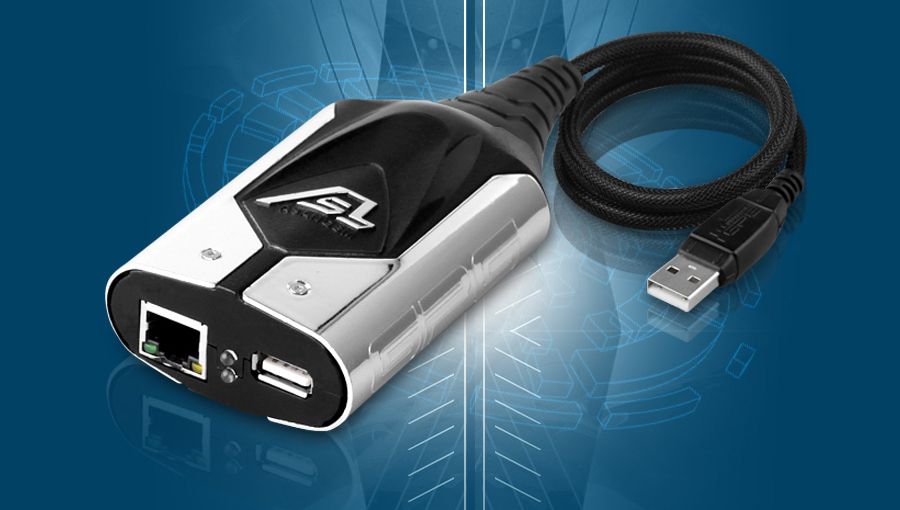
Add Go File Support Button
Powerful And Ultra-High Speed
*How to enter new support area?
Download latest version of Supporter software from Index of ./Asansam/ , start it and press "GO FILE SUPPORT" button.
*how much can download file each box per month?
Each box can download 4GB per month(15 files per day)
*Do you can use resume download?
Download resuming is supported. You should use Download Managers
*how many GB files is on support server?
More Than 1300GB Samsung Flash Files
********************
Thanks For The Patience
********************
Download
============
ASAN-SAM_v2.1.6.rar
===============
Download rar file and extract to c:/asansam2
Still Need Other Samsung Android Tool?
BR
ASANGSM TEAM
CONTACT US

برچسبها :
دسته بندی : <-ArchiveEntryCategory->,
Release Date: April 8, 2013 Firmware Version Required : 10.3.50 --> Fixed UDA Flashing on Spansion 1GB NAND Flash --> Fixed Custom Mask File Input for SD card Brute Force Release Date: March 25, 2013 Firmware Version Required : 10.3.50 ATF Box New Firmware LogiCore 10.3.50 Official Release --> Support ATF JAM (JTAG Access Module) --> Support ATF SAM (Samsung Access Module) More info about ATF JAM and ATF SAM will be released very soon! What's New ? * Added "Create ENO FPSX" button in 'Read Flash' tab which will allow you to extract ENO Blocks from FLASH DUMPS made by ATF Software. The resulting ENO File will be in Plain FPSX format and can be used on phones which have the same ROOT_KEY_HASH as the original FLASH DUMP. Normally, Dumping the first 16 MB of the Flash Chip is enough to extract the ENO Blocks. If the ENO cannot be found, then try 32 MB. * SD Card Password BF Unlock now supports Customized MASK Files so you can make your own MASK files using any Unicode 16-Bit (2 bytes) characters. This will allow you to BruteForce NON-ENGLISH/LATIN characters. More info about Unicode here: List of Unicode characters - Wikipedia, the free encyclopedia You can check our support forum for a STEP-BY-STEP instruction on how to create and use your own MASK Files. * Updated Lumia 505 RM-923 Repair Boot Files * Uploaded Lumia 505 RM-923 Test Point Pictures Bug Fixes: * Fixed Lumia 505 RM-923 detection as Windows 7.8 Phone * Fixed Lumia Custom eMMC Read/Write file handler * Fixed Lumia eMMC Direct Drive Number Detection Other Stuff * Complete Variant Listing for Lumia Win7 and Win8 Phones (as of March-25-2013) * Complete Product Listing in Nokia.ini (as of March-25-2013) For this Update we give Special Thanks To: dj kidd (Mexico) for Sending Lumia 505 Phone WAJID (Dubai) for Beta Testing Angel for reporting Bugs Who will buy this if you can get more in ATF?  __________________________________________________ ________________________ Buy only from ATF [Advance Turbo Flasher] authorized resellers: ATF [Advance Turbo Flasher] Authorized Distributors and Resellers List ATF [Advance Turbo Flasher] official web sites:
International -
http://www.advance-box.com/ ATF [Advance Turbo Flasher] official support forums:
World Wide:
Advance Turbo Flasher - GSM-Forum
Indonesia:
ATF (Advance Turbo Flasher))
Philippine:
Gsmph
Syria:
Arabic Support (Syria) GsmVIP
Chinese support forum :
ATF Box
Vietnam:
Saigonmobile
India:
Advance Box - .:: GsmIndia ::.
Official Iran Support Forum :
ASANGSM FORUM
Bangladesh:
Advance Box - Dhaka Mobile
Chinese Support forum :
www.yananliuhuan.com
برچسبها :
دسته بندی : <-ArchiveEntryCategory->,
Release Date: March 25, 2013
Firmware Version Required : 10.3.50
ATF Box New Firmware LogiCore 10.3.50 Official Release
--> Support ATF JAM (JTAG Access Module)
--> Support ATF SAM (Samsung Access Module)
More info about ATF JAM and ATF SAM will be released very soon!
What's New ?
* Added "Create ENO FPSX" button in 'Read Flash' tab which will allow
you to extract ENO Blocks from FLASH DUMPS made by ATF Software. The resulting ENO File will be in Plain FPSX format and can be used on
phones which have the same ROOT_KEY_HASH as the original FLASH DUMP.
Normally, Dumping the first 16 MB of the Flash Chip is enough to
extract the ENO Blocks. If the ENO cannot be found, then try 32 MB.
* SD Card Password BF Unlock now supports Customized MASK Files so
you can make your own MASK files using any Unicode 16-Bit (2 bytes)
characters. This will allow you to BruteForce NON-ENGLISH/LATIN
characters. More info about Unicode here:
List of Unicode characters - Wikipedia, the free encyclopedia
You can check our support forum for a STEP-BY-STEP instruction on
how to create and use your own MASK Files.
* Updated Lumia 505 RM-923 Repair Boot Files
* Uploaded Lumia 505 RM-923 Test Point Pictures
Bug Fixes:
* Fixed Lumia 505 RM-923 detection as Windows 7.8 Phone
* Fixed Lumia Custom eMMC Read/Write file handler
* Fixed Lumia eMMC Direct Drive Number Detection
Other Stuff
* Complete Variant Listing for Lumia Win7 and Win8 Phones (as of March-25-2013)
* Complete Product Listing in Nokia.ini (as of March-25-2013)
For this Update we give Special Thanks To:
dj kidd (Mexico) for Sending Lumia 505 Phone
WAJID (Dubai) for Beta Testing
Angel for reporting Bugs
Who will buy this if you can get more in ATF?
__________________________________________________ ________________________
Buy only from ATF [Advance Turbo Flasher] authorized resellers:
ATF [Advance Turbo Flasher] Authorized Distributors and Resellers List
ATF [Advance Turbo Flasher] official web sites:
International - http://www.advance-box.com/
ATF [Advance Turbo Flasher] official support forums:
World Wide: Advance Turbo Flasher - GSM-Forum
Indonesia: ATF (Advance Turbo Flasher))
Philippine: Gsmph
Syria: Arabic Support (Syria) GsmVIP
Chinese support forum : ATF Box
Vietnam: Saigonmobile
India: Advance Box - .:: GsmIndia ::.
Official Iran Support Forum : ASANGSM FORUM
Bangladesh: Advance Box - Dhaka Mobile
Chinese Support forum : www.yananliuhuan.com
The Master Piece

دانلود مستقیم در ادامه مطلب(باید ابتدا در پایین انجمن عضو شده سپس دانلود کنید)
برچسبها :
دسته بندی : <-ArchiveEntryCategory->,
در این فایل نحوه انتخاب فایل فلش در گوشی های نوکیا
اکثر مدل ها رو آموزش دادیم تا دوستان در انتخاب فایل مشکلی نداشته باشند
واکثرا با پسوند فایل فارسی یا عربی است.
برچسبها :